
Download the Xtreme IPTV App
One player, three install routes, no dish and no engineer. The Xtreme IPTV app runs on Firestick, Fire TV, Android, Android TV, MAG boxes, Windows and macOS — and the same login works on every one of them.
One Login. Every Screen You Already Own.
The Xtreme IPTV app is a player, not a shop. You install it once, type in the username, password and server address from your activation email, and the line-up pours into it: 21,500+ live channels sorted by country and genre, 72,500+ movies and series in a separate on-demand tab, and an EPG showing what's on now and what follows. Picture quality lands at 4K, FHD or HD depending on the feed. There's a favourites list as well, and that's the part people end up living in after the first week.
- 21,500+ live channels, grouped by country and genre
- 72,500+ movies & series in the on-demand tab
- EPG with now, next and the days ahead
- Firestick, Fire TV, Android, Android TV and MAG
- Windows and macOS via any Xtream Codes player
- 24-hour free trial before you pay anything
Nothing inside the Xtreme IPTV app is held back for bigger spenders. The 24-hour free trial loads the same channel list a 12-month subscriber sees. What your plan decides is how many screens can play at the same moment — 1 to 5 devices, depending which one you buy. Every term is set against its connection count on the Xtreme IPTV pricing plans page, and the current line-up is listed on the Xtreme IPTV channel list.
Three Ways to Install Xtreme IPTV
Every route below ends at the same login screen. Pick the one that matches the device sitting under your television.
Firestick and Fire TV
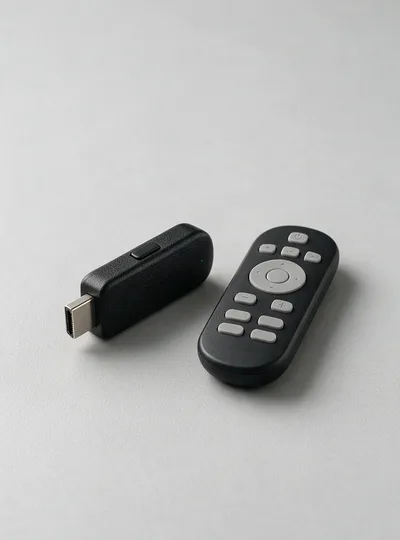
Fire OS refuses anything from outside the Amazon Appstore until you say otherwise, so this route has two halves. First, switch on the unknown-apps permission under Settings, My Fire TV, Developer Options. Then install the free Downloader app from the Appstore, type the address below into its URL box and press Go. Fire OS takes it from there.
Android Phones, Tablets and TV Boxes
On Android the Xtreme IPTV app arrives as a package file rather than a store listing, so your browser asks for one permission the moment you tap the download. Approve it, let the install finish, open the app and paste in the line details Xtreme IPTV emailed you. Android TV boxes follow the identical path, usually driven by a sideloading tool rather than a browser.
xtremeiptv.tv/appMAG Boxes, Windows and macOS
A MAG box installs nothing at all. You send Xtreme IPTV the MAC address printed underneath it, we issue a portal, you type that portal into the Servers menu and restart. On Windows and macOS, any player that reads an Xtream Codes login or an M3U playlist takes the same line details. Samsung and LG sets go the player route too, since Tizen and webOS won't run an Android package.
xtremeiptv.tv/appWhichever route you take, the Xtreme IPTV app asks for the same three things on first launch: username, password and server address. Those arrive by email within 5-15 minutes of payment, and the 24-hour free trial issues them exactly the same way. If nothing has landed, check the spam folder before you check anything else — a filtered activation email is the single most common reason a fresh install looks broken. Screen-by-screen instructions for each device are written out on the Xtreme IPTV setup guide.
Devices That Run Xtreme IPTV
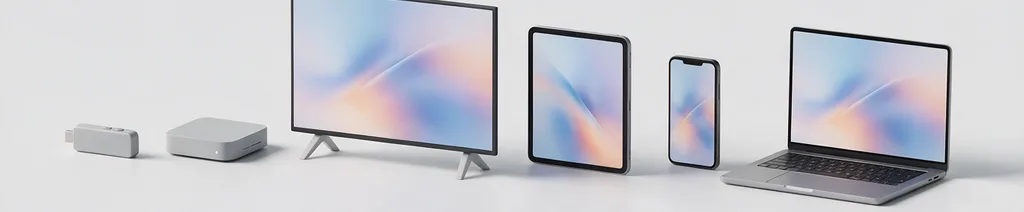
If it streams video and accepts a player app, Xtreme IPTV will almost certainly run on it. These five cover nearly every subscriber.
Xtreme IPTV sells no hardware and asks you to buy none. The Firestick wins on price and portability: it costs little, hides behind the television on a spare HDMI port, and if you move house or take it away with you the whole setup goes along for the ride. An Android TV box suits a permanent living-room install with a faster interface behind it. A MAG box suits anyone who wants a remote and channel numbers rather than a grid of tiles. Windows and macOS are the quickest way to prove a new set of credentials works before you go anywhere near the television. Samsung and LG sets are the exception worth reading twice — they run Tizen and webOS, neither of which accepts an Android package, so it's a player from the TV's own store or a Firestick in the back of the set. Device-by-device answers sit in the Xtreme IPTV FAQ.
Prefer the Player You Already Know?
Your Xtreme IPTV line details follow the Xtream Codes and M3U standards, so third-party IPTV players read them with nothing converted and nothing exported. Use the app we point you at, or stay with the player you've used for years — the channels, the EPG and the on-demand library arrive the same either way. Subscribers moving over from another provider usually keep their player and change only the login.
From Payment to Playback
Three steps, listed in the order they actually happen rather than the order that reads well.
Get your line details
Order a term or ask for the 24-hour free trial. Xtreme IPTV emails a username, a password and a server address, normally within 5-15 minutes of payment. Keep that message somewhere you can find it, because every device you add later reads from the same three fields.
Install the player
Downloader on a Firestick. A package file on Android. A portal address on a MAG box. An Xtream Codes player on Windows or macOS. One route per device, none of them needs a computer to finish, and none of them costs anything on top of your plan.
Sign in, then build favourites
First launch is the slow one while 21,500+ channels and the guide load — let it finish before judging anything. Then pin the handful of channels you really watch to a favourites list, and everything else turns into a search box you rarely need to open.
One habit prevents most of the app email Xtreme IPTV receives: set it up on the screen you actually intend to use, not on whatever laptop happens to be open at the time. A stream that behaves faultlessly a metre from the router says very little about a Firestick on the far side of the house sharing a crowded 2.4 GHz band with everything else in it. Install where you'll watch, test at the time of day you'll watch, and do it during the Xtreme IPTV 24-hour free trial while it costs nothing. If something stalls, email [email protected] with the device, the channel and the wording on screen — support replies 24/7.
App Questions Xtreme IPTV Gets Asked
Five things worth knowing before you install anything.
Is the Xtreme IPTV app on the Google Play Store or the Amazon Appstore?
How many devices can I put the Xtreme IPTV app on?
Do live channels and the movie library need two separate apps?
How do I update the Xtreme IPTV app?
Can I install the Xtreme IPTV app before I have a subscription?
Put the App on Your Own Television
The Xtreme IPTV 24-hour free trial installs the same app and loads the same channels as a paid line — no card, no cancellation step. Plans afterwards start at $29/month across 1, 3, 6 and 12 month terms, with 1 to 5 connections. Questions first? Email [email protected], any hour, 24/7.